
Estimated Delivery Date & Shipping Countdown. Estimated Delivery Date & Shipping Countdown shows a localized estimated delivery date and a live shipping cutoff countdown on the product page, cart and checkout. It is working-day and holiday aware, with hierarchical rules per product, category, manufacturer, carrier, zone or country. No carrier API required.
Estimated Delivery Date & Shipping Countdown shows a localized estimated delivery date and a live shipping cutoff countdown on the product page, cart and checkout. It is working-day and holiday aware, with hierarchical rules per product, category, manufacturer, carrier, zone or country. No carrier API required.
1. Installation
- In the back office go to Modules → Module Manager → Upload a module and select the module ZIP.
- Once installed, click Configure to open the setup wizard.
.local, .test, localhost) are always allowed. When a new version is available it is shown right inside the module.2. Configuration: step by step
The Configure screen has three panels: a live preview at the top, the main settings, and the optional override rules. Each is described below.
Live preview (global default)
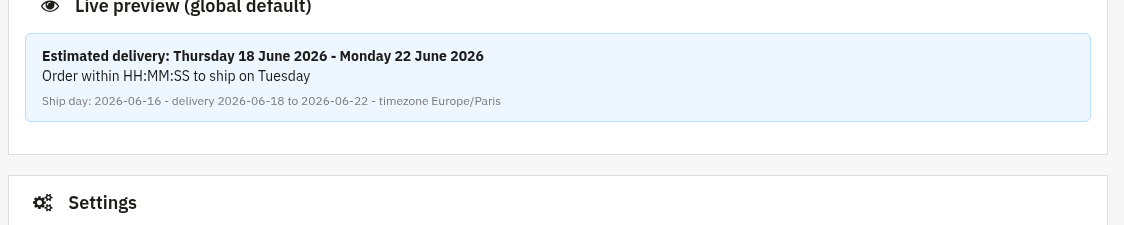
A read-only panel at the top of the page. It computes a sample delivery date from your current global settings, so you can see exactly what shoppers will read before saving anything. It shows the delivery sentence, the cutoff line with a placeholder countdown, and the underlying ship day, delivery window and shop timezone.
Settings
The main form, grouped into sections. Set the global default here, it applies everywhere unless an override rule says otherwise.
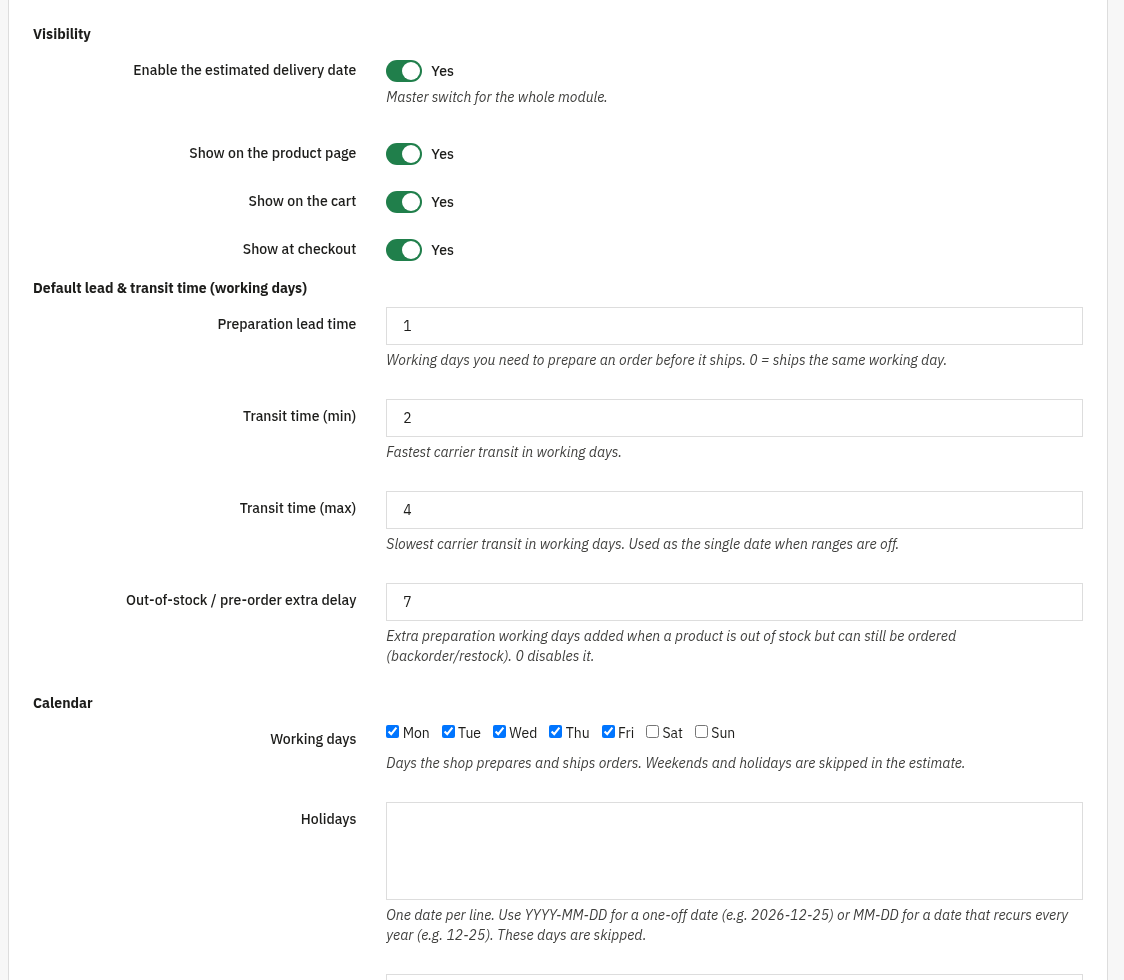
- Visibility: Enable the estimated delivery date (master switch for the whole module), Show on the product page, Show on the cart, Show at checkout.
- Default lead & transit time (working days): Preparation lead time (working days to prepare an order before it ships; 0 = ships the same working day), Transit time (min) and Transit time (max) (fastest / slowest carrier transit in working days), and Out-of-stock / pre-order extra delay (extra preparation days for backorder/restock; 0 disables it).
- Calendar: Working days (tick the days the shop prepares and ships; weekends and holidays are skipped), Holidays (one date per line,
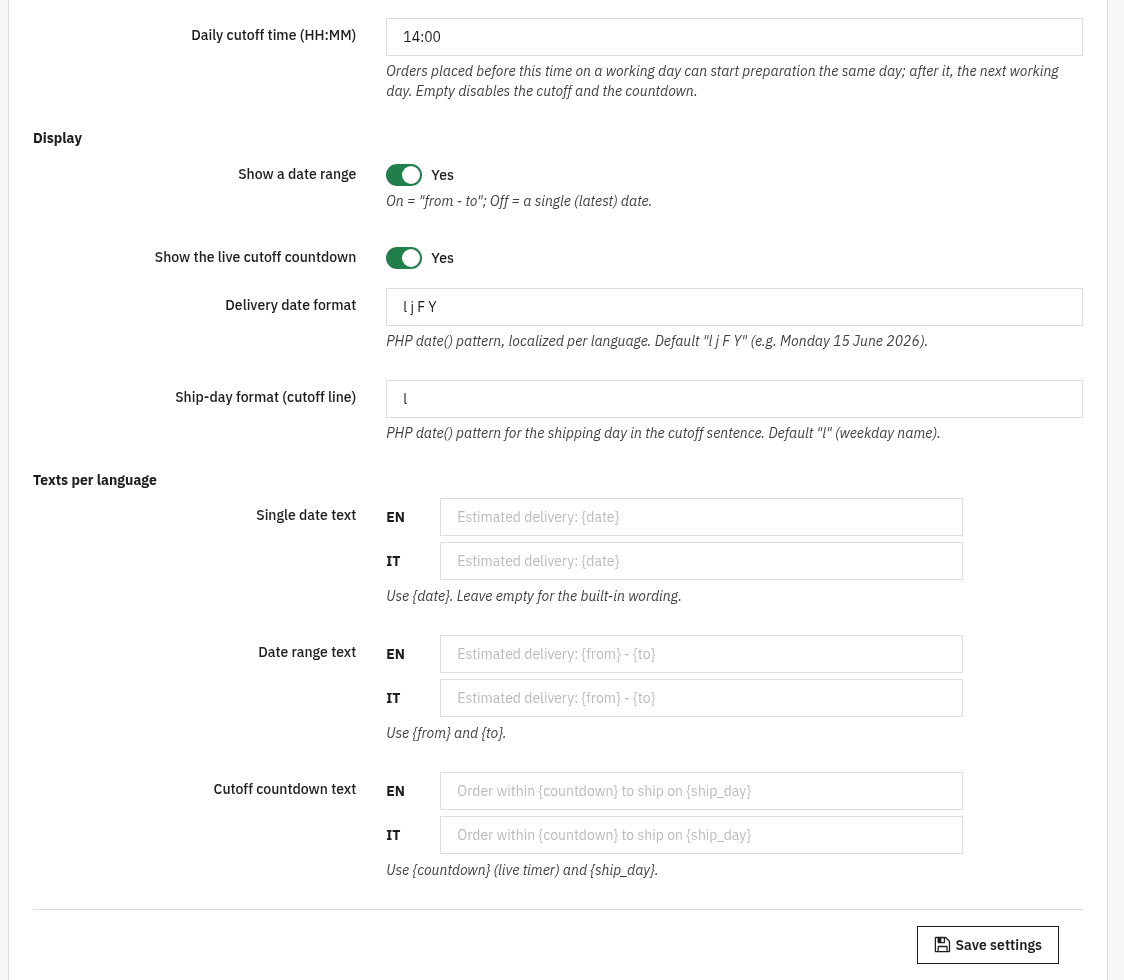
YYYY-MM-DDfor a one-off orMM-DDfor a yearly recurring date), and Daily cutoff time (HH:MM) (orders before it can start preparation the same working day; empty disables the cutoff and the countdown). - Display: Show a date range (on = "from – to", off = a single latest date), Show the live cutoff countdown, Delivery date format and Ship-day format (cutoff line) (PHP
date()patterns, localized per language). - Texts per language: Single date text (use
{date}), Date range text (use{from}and{to}) and Cutoff countdown text (use{countdown}and{ship_day}). Leave empty for the built-in wording.

Override rules optional
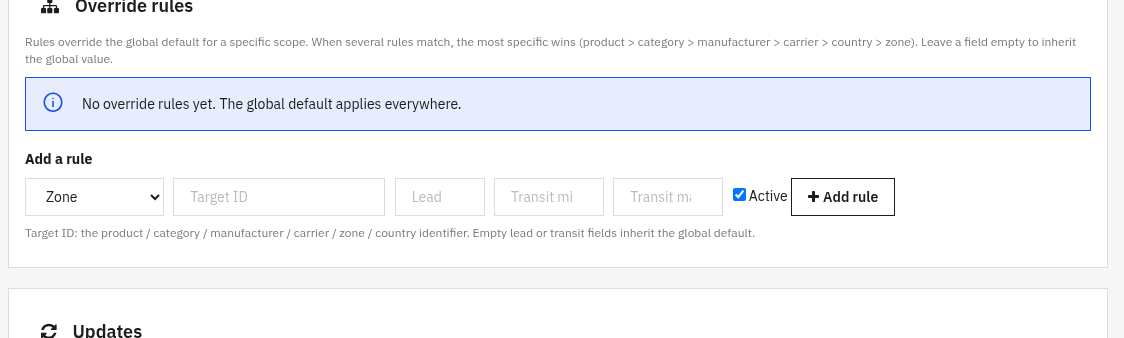
Rules override the global default for a specific scope. Pick a scope, a target ID and the values you want to change. When several rules match, the most specific wins (product > category > manufacturer > carrier > country > zone). Leave a field empty to inherit the global value.
- Scope: Product, Category, Manufacturer, Carrier, Zone or Country.
- Target ID: the identifier of the chosen product / category / manufacturer / carrier / zone / country.
- Lead, Transit min, Transit max: override values (0–365 working days). Empty fields inherit the global default; a rule must change at least one value.
- Active: enable or disable the rule without deleting it.
3. Check that it works
- Open any product page and confirm the estimated delivery date and (if enabled) the live cutoff countdown are shown.
- Set a Daily cutoff time a few minutes ahead, reload the product page and watch the countdown tick down; after the cutoff the estimate moves to the next working day.
- Add an override rule for a specific product (e.g. a longer transit) and confirm the estimate changes on that product but not on the others.
- Check the Live preview panel at the top of the Configure screen, it reflects your saved global default.
4. FAQ
Does it need a carrier API?
No. The estimate is computed from your own lead and transit times, no external API or carrier integration is required.
Are weekends and holidays handled?
Yes. Only the working days you select count, and the dates you list as holidays are skipped, so the estimate never lands on a non-working day.
Which rule wins when several match?
The most specific scope wins: product > category > manufacturer > carrier > country > zone. Any field left empty in a rule inherits the global default.
Do I need to edit my theme?
No. The estimate and countdown are added through standard hooks and work with any theme.