
SEO Meta + AI - meta tags, Open Graph & structured data. SEO Meta + AI lets you manage the SEO meta title and description for every entity with a live Google SERP preview, apply bulk template rules, or generate optimized meta in bulk using your own AI key. It also adds Open Graph tags, Twitter Cards, schema.org JSON-LD, canonical URLs and robots control, so search engines and social networks understand every page. No coding, no theme edits.
SEO Meta + AI lets you manage the SEO meta title and description for every entity with a live Google SERP preview, apply bulk template rules, or generate optimized meta in bulk using your own AI key. It also adds Open Graph tags, Twitter Cards, schema.org JSON-LD, canonical URLs and robots control, so search engines and social networks understand every page. No coding, no theme edits.
1. Installation
- In the back office go to Modules → Module Manager → Upload a module and select the module ZIP.
- Once installed, click Configure to open the setup wizard.
.local, .test, localhost) are always allowed. When a new version is available it is shown right inside the module.2. Configuration: step by step
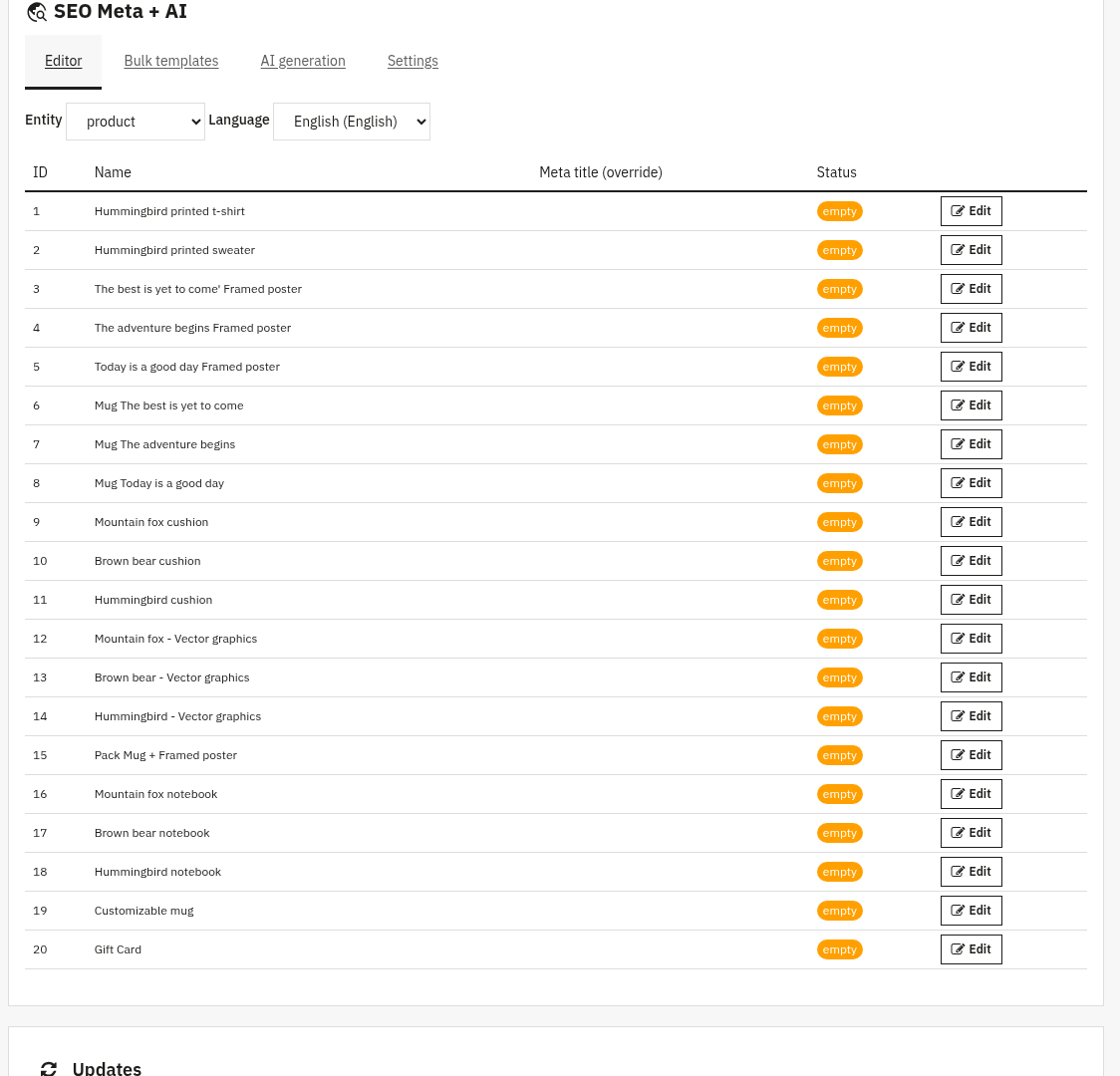
The Configure screen brings the per-page meta editor, bulk tools and global settings together. Pick an Entity (product, category, CMS page, manufacturer, supplier or home) and a Language at the top, then work through the panels below.
SEO Meta + AI
Per-page meta editor & SERP preview: fine-tune any single page:
- Meta title and Meta description: edit them with a live Google SERP preview and character counters that compare against your target lengths.
- OG title / OG description / OG image URL: optional Open Graph overrides for how the page looks when shared.
- Canonical URL and Robots: set a canonical address and choose indexing (index,follow, noindex,follow, index,nofollow or noindex,nofollow) per page.
Bulk template rules: fill many pages at once with a pattern:
- Pick an entity and language, then write a Meta title pattern and/or Meta description pattern using variables like
{name},{category},{brand},{price},{reference}and{shop_name}. - Tick Only where meta is currently empty to avoid overwriting pages you have already tuned, then Apply template.
Bulk AI generation: let AI write your meta:
- Choose entity and language, then use Estimate cost and Preview AI request before running Generate with AI.
- The provider panel shows the active provider, model and your remaining monthly budget; generation needs an API key (see Settings).
Settings: global output and AI configuration:
- Module enabled: the master on/off switch.
- Emit Open Graph / Twitter Card, Default og:type, Twitter card type and Twitter @site handle: control social tags.
- Emit JSON-LD with toggles for Organization + WebSite on home, Product + Offer on product page and BreadcrumbList: control schema.org output.
- Emit canonical link, plus Title target length and Description target length for the SERP counters.
- Provider (Anthropic, OpenAI or Gemini), optional Model, the per-provider API key, an optional Brand tone hint, and Budget per run / Budget per month spending caps.
3. Check that it works
- Edit a product's meta title and description and confirm the live SERP preview and character counters update.
- Open that product on the front office, view the page source and check the
<title>, meta description, Open Graph tags and<script type="application/ld+json">match. - Paste a product URL into Google’s Rich Results Test to confirm the structured data is valid.
- Run a bulk template or AI generation on a few empty pages and verify the meta is filled in.
4. FAQ
Do I need an AI key to use the module?
No. The meta editor, bulk templates, Open Graph, JSON-LD, canonical and robots all work without AI. The API key is only needed for bulk AI generation.
Will it overwrite meta I have already written?
Not unless you ask it to. The bulk tools have an "Only where meta is currently empty" option that protects pages you have already tuned.
Can AI spending get out of control?
No. You set a hard budget per run and per month, and you can estimate the cost before generating.
Will it conflict with another SEO module?
Each output (Open Graph, JSON-LD, canonical, robots) can be turned off independently, so you can run it alongside other tools without duplication.