
Performance - WebP, lazy load, minify & cache. Performance speeds up your shop with WebP delivery (safe original fallback), lazy loading, CSS/JS minify and combine, browser-cache headers, preload/preconnect hints and non-destructive database maintenance. Every optimization has its own switch, so you can turn on exactly what your theme supports and leave the rest off. No coding, no theme edits.
Performance speeds up your shop with WebP delivery (safe original fallback), lazy loading, CSS/JS minify and combine, browser-cache headers, preload/preconnect hints and non-destructive database maintenance. Every optimization has its own switch, so you can turn on exactly what your theme supports and leave the rest off. No coding, no theme edits.
1. Installation
- In the back office go to Modules → Module Manager → Upload a module and select the module ZIP.
- Once installed, click Configure to open the setup wizard.
.local, .test, localhost) are always allowed. When a new version is available it is shown right inside the module.2. Configuration: step by step
The Configure screen is a single page: a status panel, the per-optimization settings, action buttons and a database-cleanup tool.
Status
A read-only health panel shown at the top of the page.
- Master switch: whether optimizations are currently ON or OFF.
- WebP engine (GD/Imagick): whether the server can generate WebP. If not available, WebP rewriting is simply skipped.
- WebP cache directory writable: whether generated WebP files can be stored.
- Browser-cache .htaccess block: whether the cache rules are currently written.
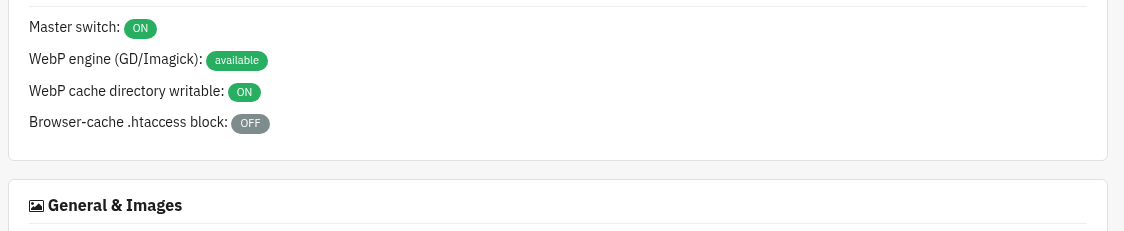
General & Images master switch
The master switch plus all image optimizations.
- Enable optimizations: master switch. Off = the module does nothing on the front office.
- Serve WebP: wraps images in
<picture>with a WebP source and the original as fallback. - Lazy-load images / Lazy-load iframes/videos: add
loading="lazy"where it is missing. - IntersectionObserver fallback: tiny script for old browsers without native lazy loading.
- Add missing dimensions: best-effort width/height to reduce layout shift (heavier).
- WebP quality (1-100): the compression quality used when generating WebP.
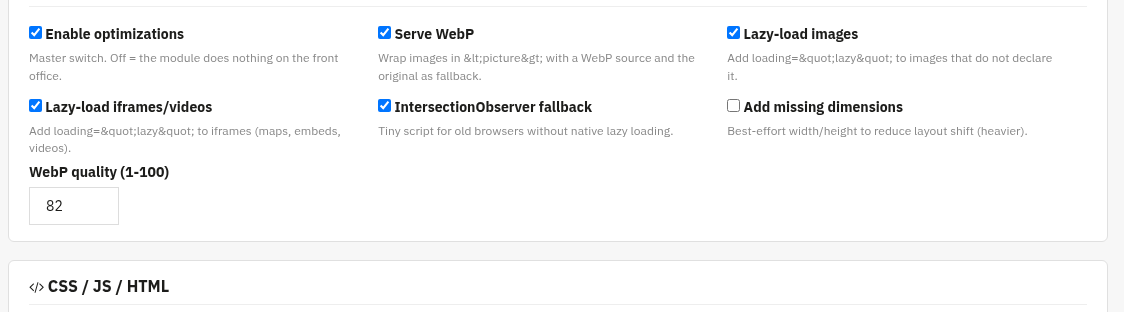
CSS / JS / HTML
Minify, combine and defer your assets. The "invasive" options are off by default, test them on your theme.
- Minify CSS / Minify JS: use PrestaShop's native per-file cache (safe).
- Combine CSS (invasive) / Combine JS (invasive): off by default; can break some themes, test before enabling.
- Defer JS: adds
deferto non-critical scripts. - Move JS to footer: opt-in, theme dependent.
- Minify HTML (invasive): collapses whitespace; preserves
pre/textarea/script/style. - Exclusions: one fragment per line; any asset URL or image src containing one of these is left untouched.
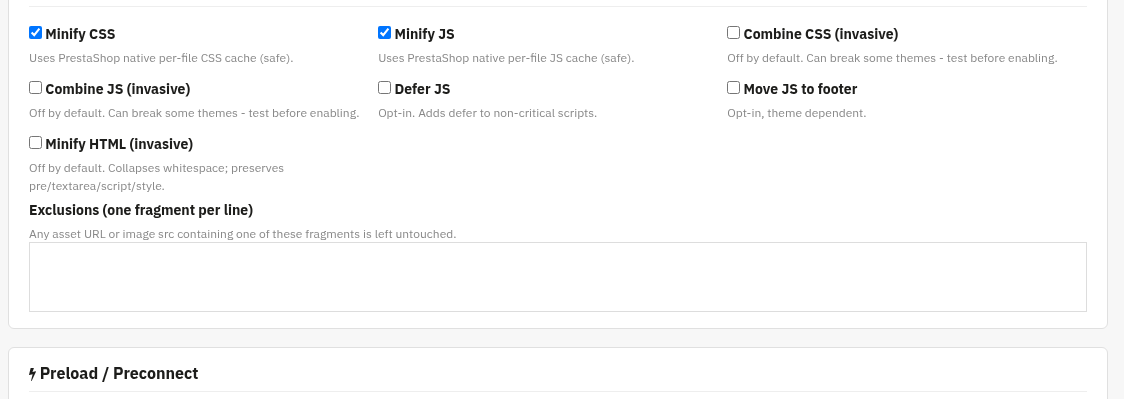
Preload / Preconnect
Add resource hints to speed up the first render.
- Preload: one URL per line for fonts/critical assets. The
asattribute is detected from the extension. - Preconnect: one origin per line, e.g.
https://fonts.gstatic.com.
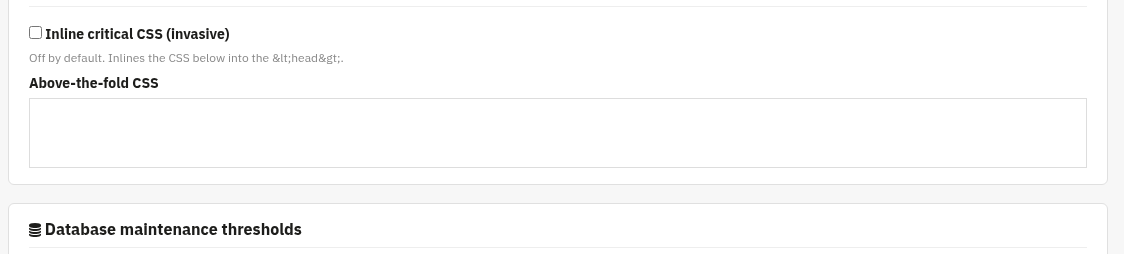
Critical CSS (advanced) optional
Inline above-the-fold CSS into the page <head>. Advanced and off by default.
- Inline critical CSS (invasive): off by default; inlines the CSS below into the head.
- Above-the-fold CSS: the CSS to inline. Leave empty unless you know what to extract.
Database maintenance thresholds
How old transient data must be before the cleanup tool touches it.
- Abandoned carts older than (days)
- Connections/guests older than (days)
- Log rows older than (days)
Each value is between 7 and 3650 days. These thresholds drive the cleanup tool further down the page.

Actions
One-click maintenance buttons.
- Clear WebP cache: removes the generated WebP files.
- Regenerate WebP (batch 500): pre-generates WebP for up to 500 images at a time.
- Write / Remove browser-cache rules: writes the cache rules into
.htaccessinside a reversible# BEGIN/END cll_perfblock (a one-time.htaccess.cll_perf-bakbackup is created). GZIP/Brotli are enabled where the Apache module is present.

Database cleanup (maintenance)
A non-destructive cleanup of transient data. This is not a shop "maintenance mode": your front office stays online and visitors are never blocked.
- Execute (otherwise dry-run): leave unticked to preview; nothing is deleted until you tick it.
- Also OPTIMIZE TABLE: optionally reclaim table space after cleanup.
- Run maintenance: only transient guest/log data older than your thresholds is affected; valid orders and customers are never touched.

3. Check that it works
- Open the Status panel: the master switch should be ON and the WebP engine should be "available".
- With "Serve WebP" on, view a product page source, images should be wrapped in
<picture>with a.webpsource. - Run the database cleanup as a dry-run first: it reports how many carts, connections and log rows would be removed before you execute.
- After writing the browser-cache rules, check your
.htaccessfor the# BEGIN cll_perfblock.
4. FAQ
Could an optimization break my theme?
The "invasive" options (combine CSS/JS, minify HTML, critical CSS) are off by default. Turn them on one at a time and test; use the Exclusions list to skip any problematic asset.
What if my server cannot make WebP?
The Status panel tells you. If neither GD nor Imagick is available, WebP rewriting is simply skipped and the original images are served.
Is the database cleanup safe?
Yes. It is non-destructive, always offers a dry-run, and only removes transient guest/log data older than your thresholds, never valid orders or customers.
Do I need to edit my theme?
No. Performance works through standard hooks and is compatible with any theme.