
B2B VAT - VIES validation & intra-EU reverse charge. B2B VAT validates EU VAT numbers against the official VIES service, automatically applies the intra-EU reverse-charge VAT exemption and assigns valid B2B customers to a configurable group. It includes a validation cache, a back-office history with manual override, and a manual VAT lookup tool. No coding, no theme edits.
B2B VAT validates EU VAT numbers against the official VIES service, automatically applies the intra-EU reverse-charge VAT exemption and assigns valid B2B customers to a configurable group. It includes a validation cache, a back-office history with manual override, and a manual VAT lookup tool. No coding, no theme edits.
1. Installation
- In the back office go to Modules → Module Manager → Upload a module and select the module ZIP.
- Once installed, click Configure to open the setup screen.
.local, .test, localhost) are always allowed. When a new version is available it is shown right inside the module.2. Configuration · step by step
The module’s back office has three tabs: Validation history, VAT lookup and Settings. All the options live in the Settings tab, grouped into Validation, Exemption & B2B group, Behaviour and Data.
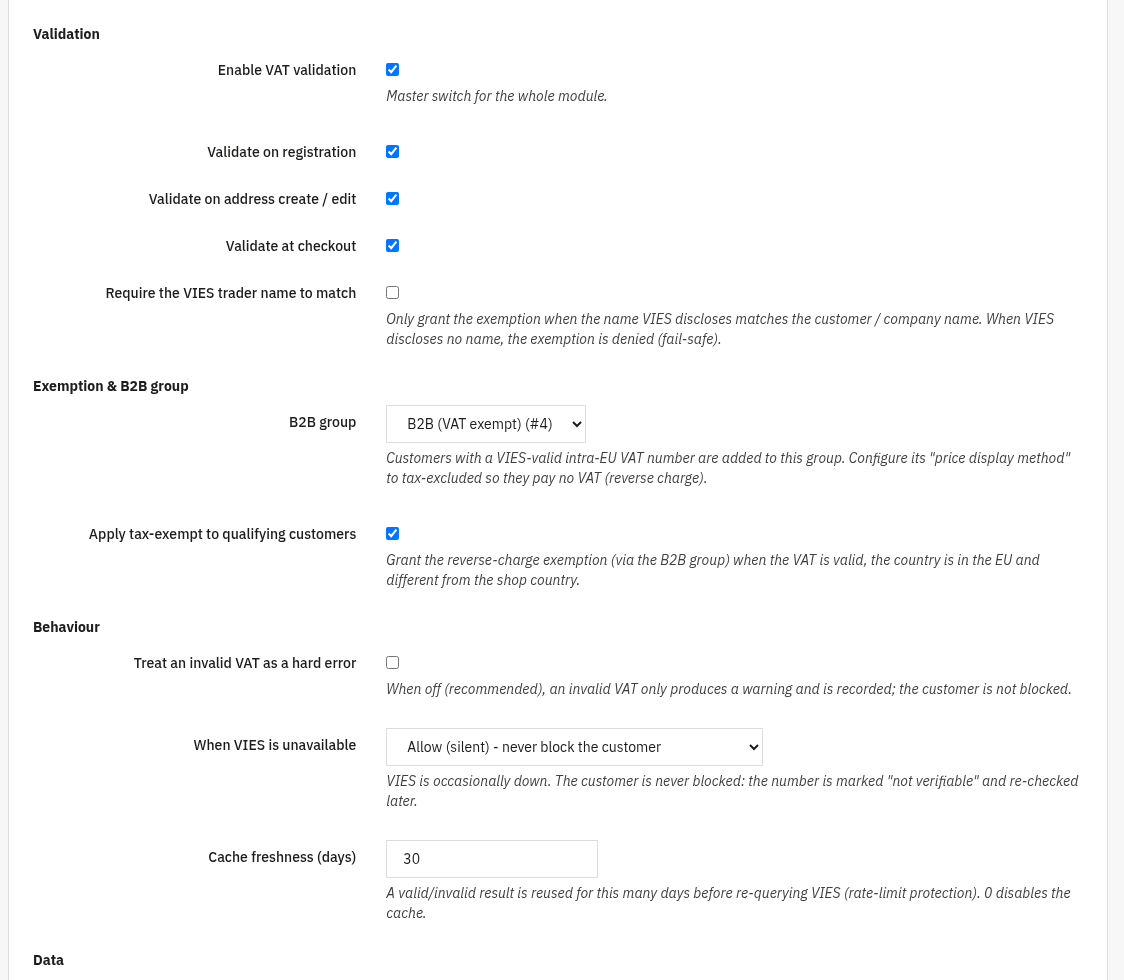
Settings Settings tab
Configure when and how VAT numbers are checked, which group qualifying B2B customers join, and what happens when a number is invalid or VIES is unreachable.
- Enable VAT validation: master switch for the whole module.
- Validate on registration: check the VAT number when a customer registers.
- Validate on address create / edit: check the VAT number when an address is saved or updated.
- Validate at checkout: check the VAT number during the checkout flow.
- Require the VIES trader name to match: only grant the exemption when the name VIES discloses matches the customer / company name. When VIES discloses no name, the exemption is denied (fail-safe).
- B2B group: customers with a VIES-valid intra-EU VAT number are added to this group. Set its price display method to tax-excluded so they pay no VAT (reverse charge).
- Apply tax-exempt to qualifying customers: grant the reverse-charge exemption (via the B2B group) when the VAT is valid, the country is in the EU and different from the shop country.
- Treat an invalid VAT as a hard error: when off (recommended), an invalid VAT only produces a warning and is recorded; the customer is not blocked.
- When VIES is unavailable: choose Allow (silent): never block the customer or Allow but show a “could not verify, will retry” notice. The number is marked “not verifiable” and re-checked later.
- Cache freshness (days): a valid/invalid result is reused for this many days before re-querying VIES (rate-limit protection).
0disables the cache. - Drop data on uninstall: when enabled, uninstalling the module deletes the whole validation history. Keep it off to preserve the records across a reinstall.

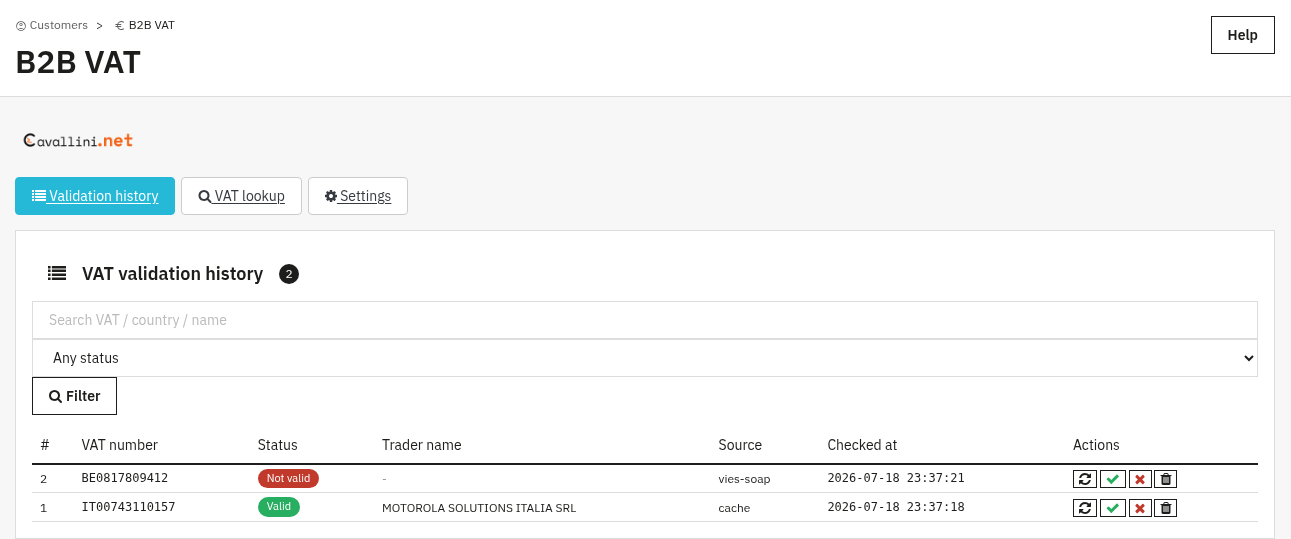
Validation history History tab
Every VAT check is logged here: the VAT number, its status (Valid, Not valid, Not verifiable or Bad format), the trader name returned by VIES (when available), the source (a live VIES query or the cache) and the timestamp. Use the search box and the status filter to find a record, then use the row actions to re-validate it live against VIES, force it valid or invalid, or delete it.
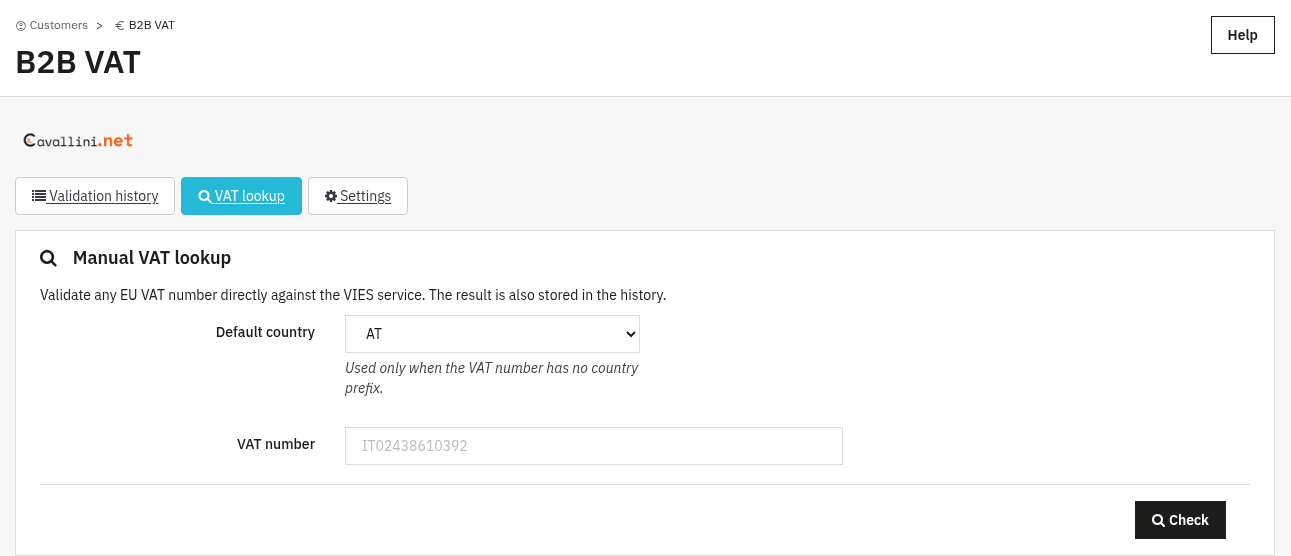
VAT lookup Lookup tab
A manual tool to validate any EU VAT number on demand, without going through a customer registration, an address or an order. Pick a default country (used only when the VAT number is entered without a country prefix), type the number and click Check: the result is shown immediately and is also stored in the Validation history.
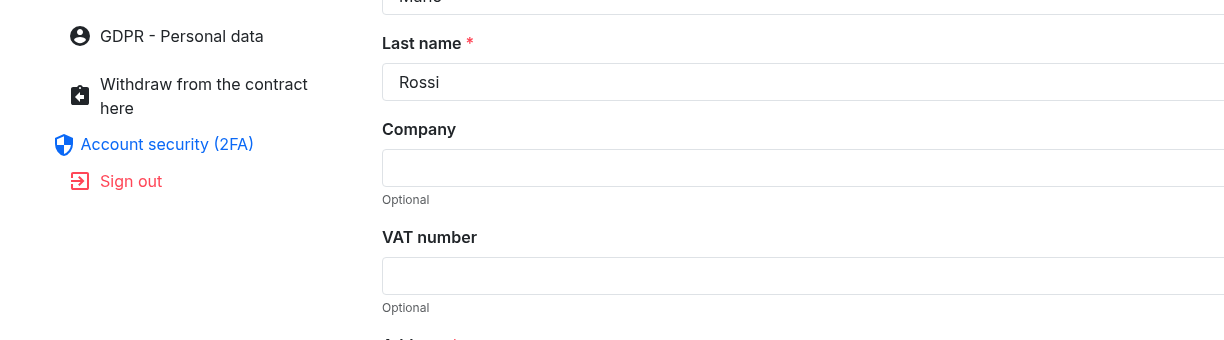
Where customers enter it Front office
The VAT number field appears next to Company on the registration form and on the address form (My account → Addresses), like any other PrestaShop address field. It is optional: customers who leave it blank are simply treated as regular consumers, with no exemption applied.
3. Check that it works
- Register (or check out) with a valid intra-EU VAT number from a country other than the shop country, then confirm the order shows no VAT (reverse charge applied) and the customer joined the B2B group.
- Enter an invalid VAT number and confirm it is rejected (or, with the soft setting, recorded as a warning) and no exemption is granted.
- Open the Validation history tab and check that each attempt is listed with its status (valid / invalid / not verifiable / bad format).
- Use the VAT lookup tab to validate any EU VAT number on demand directly against VIES.
4. FAQ
What if VIES is temporarily down?
The customer is never blocked. The number is marked “not verifiable” and re-checked later. You choose in Settings whether to stay silent or show a “could not verify, will retry” notice.
Is a VAT number from my own (home) country exempt?
No. The reverse-charge exemption only applies to intra-EU sales: a valid VAT number from an EU country different from the shop country. Domestic sales keep their normal VAT.
Do I need to edit my theme?
No. B2B VAT works through standard hooks and is compatible with any theme.
Can I correct a validation manually?
Yes. In the Validation history you can re-validate a record live against VIES, force it valid or invalid, or delete it.